

The Version Story Canvas
Have you ever spent hours redlining an agreement only to realize you were working off the wrong version?
Or did you ever discover important changes were missing from a document after you sent it to a client or counterparty?
If you’ve practiced law for long enough, you’ve probably made a versioning mistake at least once. And even when you do not make a versioning mistake, the fear of one forces you to double-check everything and endure continuous low-level anxiety.
Version control is a core part of legal drafting, but legacy tools still treat it like an afterthought. We built Version Story to make version control obvious, reliable, and visual.
The problem
Legacy version control usually looks like this:
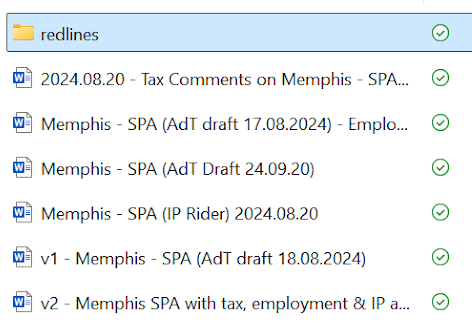
- File names are long and confusing. They try to encode who edited what, when, whether it was sent, and which side it came from. This system breaks immediately when outside parties use different conventions, or when even one teammate forgets the naming policy.
- Redlining is fragile and error-prone. To compare versions, lawyers first have to track down two files in a sea of documents with nearly identical names. Selecting the wrong “original” or “modified” file is a common, silent failure.
- Comparison tools are unreliable.
Traditional redline software runs locally, often crashes on complex documents, and frequently fails to preserve formatting cleanly.
The result is wasted time, needless anxiety, and avoidable risk.
The solution: make version relationships explicit
The solution to version error prevention is to make the relationship between versions explicit.
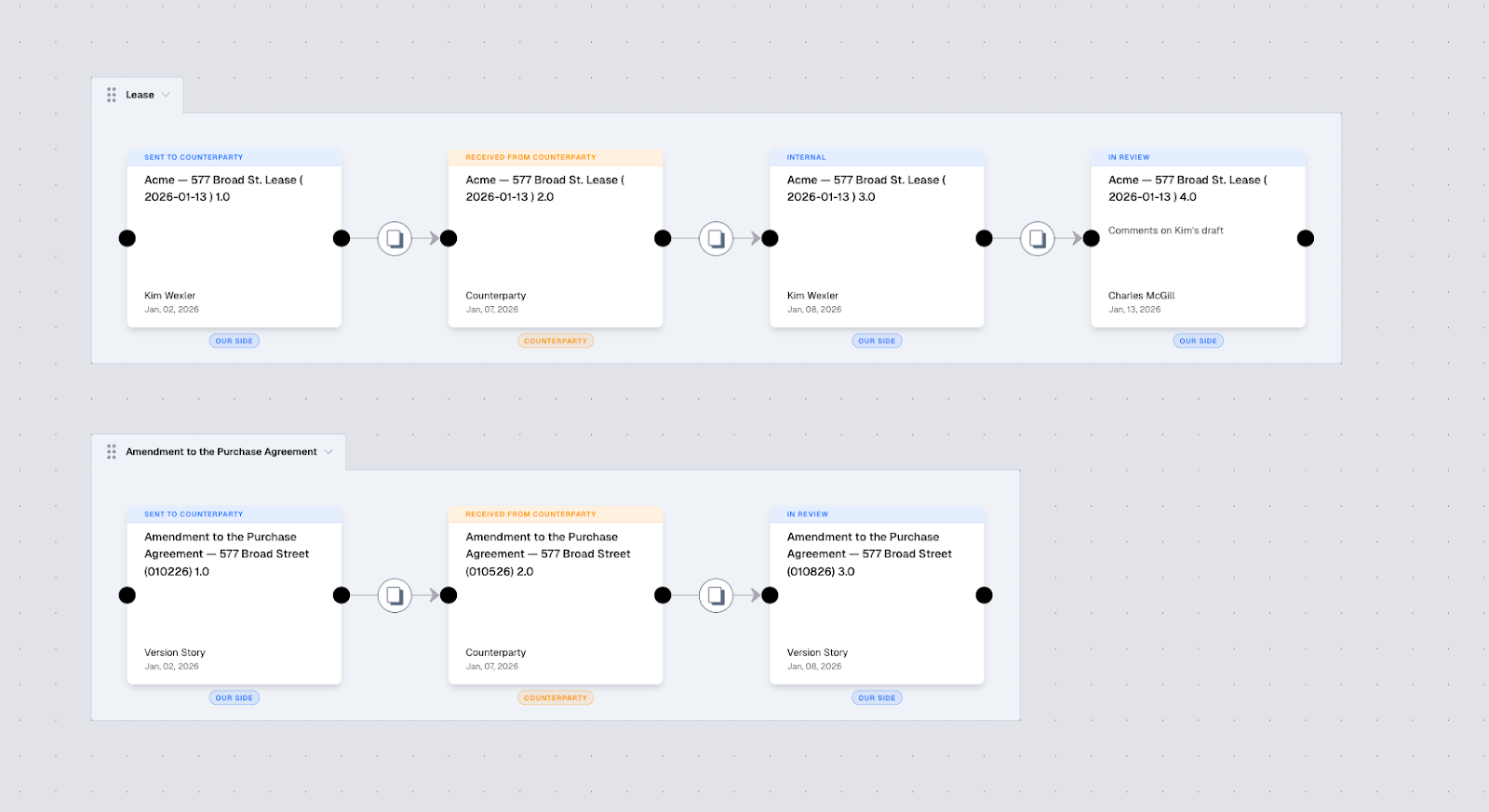
Version Story does this with a visual canvas which clearly displays which document the versions belong to, how they relate to one another, and what changed between them.
Each tile on the canvas is a document version.
Each line between two tiles is a redline.
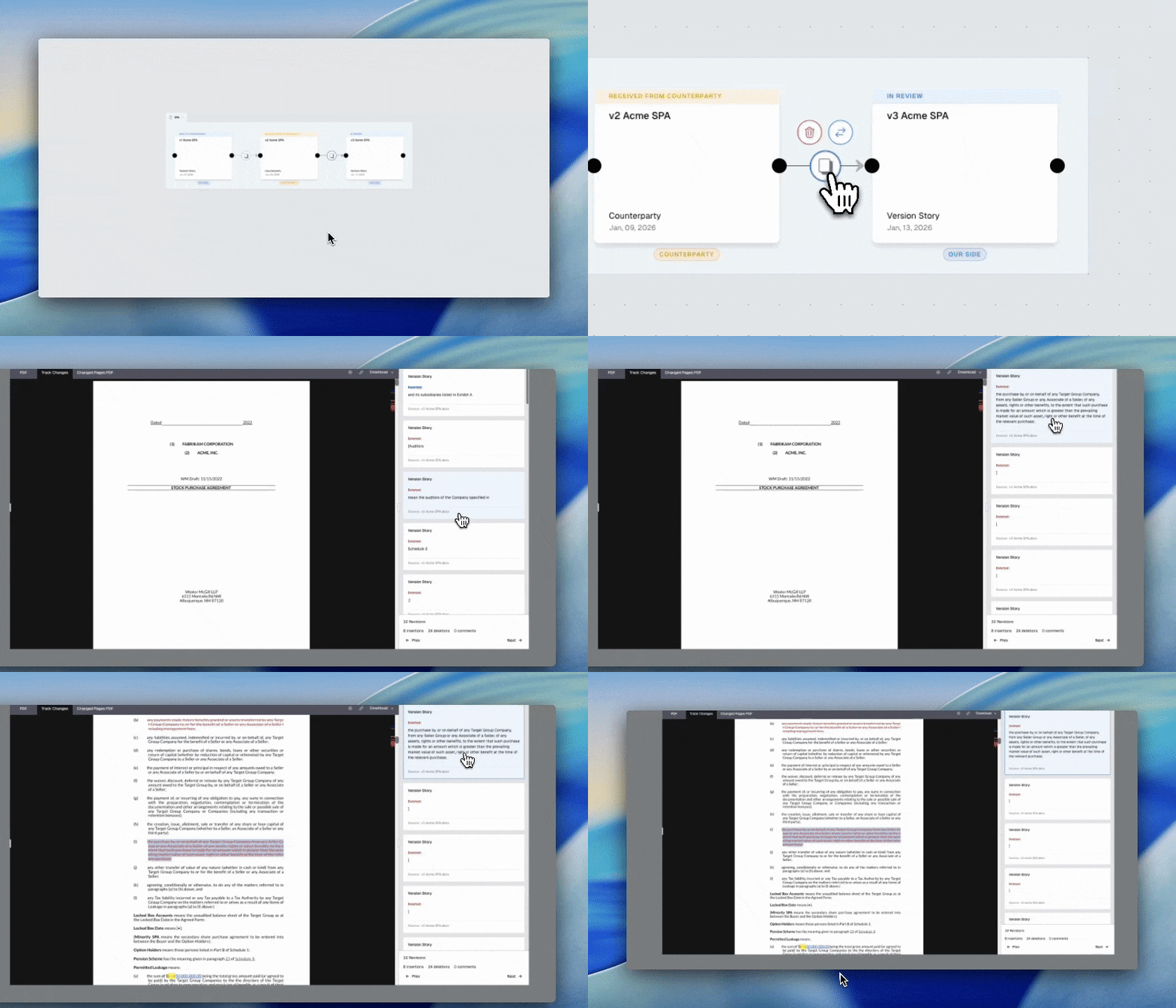
Click the line, and Version Story opens the redline between those exact versions. No more anxiety about selecting the wrong files.
Branching
While other systems imagine that drafting is a straight line, real legal work often happens in parallel.
In M&A for example, a tax, IP and employment specialist might all draft off of the same version. Legacy tools that assume a linear version history aren’t designed to handle situations like these.
Version Story is built to accommodate the way lawyers actually work.
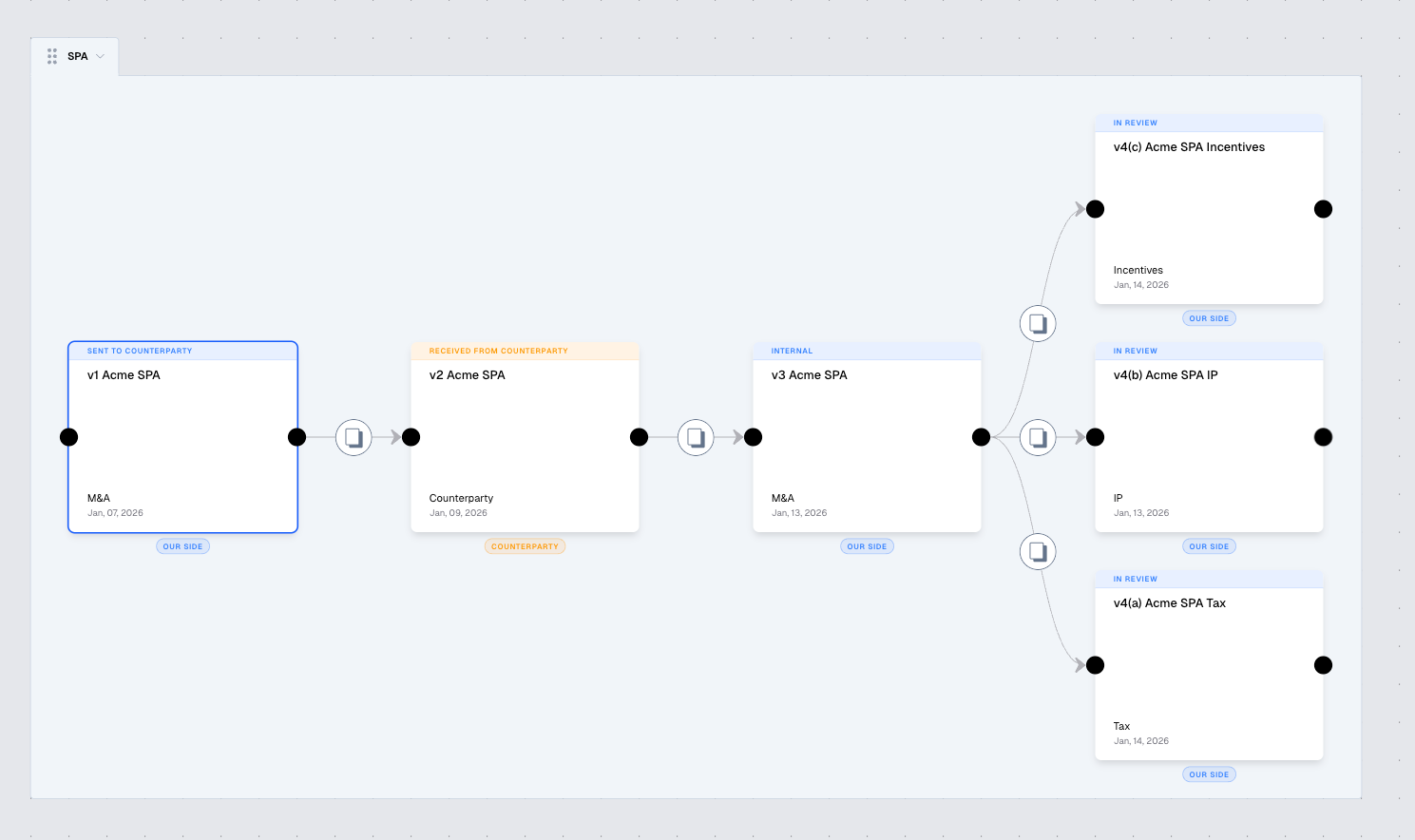
Version Story represents parallel versions with branching tiles on the canvas. You can see parallel workstreams at a glance, understand how each draft relates to the others, and compare the exact versions you intend.
The End of Version Anxiety
Version control shouldn’t be something lawyers have to “manage.” It should be something the system makes impossible to get wrong.
Version Story Canvas turns versioning from a fragile, hidden process into something explicit and visual. You can see every draft, understand how it relates to the others, and open the exact redline you meant to open—without digging through file names, second-guessing yourself, or hoping your comparison tool behaves.
Legal work is complicated enough. Your version control shouldn’t add risk on top of it.