
The two surfaces authenticate differently, and deliberately so. The REST API is machine credentials: one key, no human in the loop. The MCP server is delegated access: an agent acting as a specific signed-in person.
REST API keys
Every REST request carries a bearer token in the Authorization header.
curl -sS https://api.versionstory.com/v1/compare \
  -H "Authorization: Bearer vs_live_..." \
  -F "original=@v1.docx" \
-F "modified=@v2.docx"Getting a key
Keys are created in the Version Story web app, under Settings → Developer. Issuing or revoking one requires the Developer permission on the organization. That section appears once API access has been enabled for your organization, which the Version Story team does — schedule a demo if you don't see it.
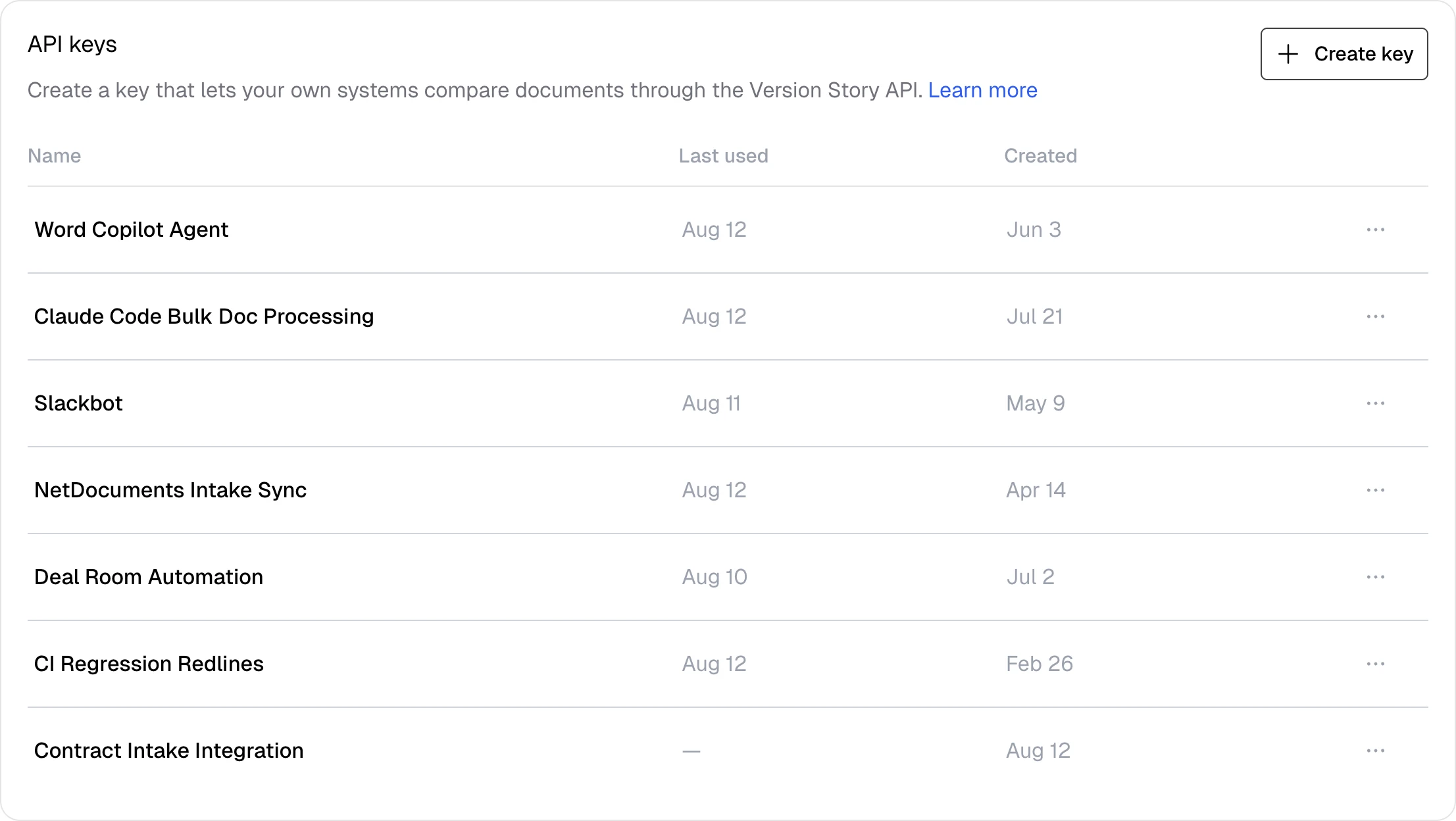
Give the key a name that says what it serves — "Contract intake integration" reads better than "key 2" when someone audits the list a year later. The token is shown once, on creation, in a banner with a copy button. Store it before you dismiss the banner.
What a key is
A key looks like vs_{environment}_{id}_{secret} — for example vs_live_9f3c…_R7x…. The
live segment names the deployment it belongs to, which for production keys is
https://api.versionstory.com.
A key belongs to the organization, not to the person who created it, so it keeps
working when that person changes roles or leaves. Requests authenticate as the
organization's service account: a machine identity that exists only to carry API work and
has no sign-in of its own. That account is what every API-created comparison is attributed
to and metered against. The member who issued the key is recorded as created_by_email, as
an audit trail and nothing more.
Handling a key
- The secret is shown once, at minting, and is never recoverable. Version Story stores only a SHA-256 hash of it. If you lose the key, you get a new one; nobody can read the old one back to you.
- Treat it like a password. Keep it in a secrets manager or an environment variable, never in source control, and never in client-side code — a key in a browser bundle is a key the whole internet has.
- An organization can hold several keys at once, and each one can be revoked on its own. Revocation lands within about a minute — authentication results are cached briefly, so a revoked key can still be accepted for up to 60 seconds. Rotate in this order: create the new key, deploy it, then revoke the old one. The other order leaves a window with no valid credential.
- The key list shows each key's name, when it was created, and when it was last used, and marks revoked keys — enough to tell a live integration from one you can safely retire. Hover a key's Created date to see who issued it.
Auth failures
| Status | Code | Meaning |
|---|---|---|
| 401 | INVALID_API_KEY | Missing, malformed, unknown, inactive, or expired key |
| 403 | API_KEY_ORG_MISMATCH | The key's service account is no longer operating in the key's organization |
API_KEY_ORG_MISMATCH is deliberately loud rather than silent: honoring a request whose
principal has drifted would attribute and bill the work to the wrong organization. Because
a key's service account is derived from the organization itself, you should never see this
in practice. If you do, issue a new key and revoke the old one.
MCP OAuth
The MCP server implements OAuth 2.1 with PKCE and RFC 7591 dynamic client registration, so compliant MCP clients need no pre-shared credentials. Point the client at the server URL and it handles registration and the sign-in redirect itself.
https://mcp-compare.versionstory.com/mcp
Discovery metadata is served where the spec says it should be:
| Endpoint | Purpose |
|---|---|
/.well-known/oauth-protected-resource | Protected-resource metadata (RFC 9728) |
/.well-known/oauth-authorization-server | Authorization-server metadata |
/register | Dynamic client registration |
/authorize | Authorization endpoint |
/token | Token exchange and refresh |
Scopes are openid, email, and profile — the server needs only to identify the person
signing in. Authorization is then enforced per project on every call: a tool that touches a
project the signed-in user has no access to fails, regardless of the token being valid.
Token lifetime
Access tokens are short-lived and refreshable. check_connection reports exactly where the
current one stands:
{
  "authorized": true,
  "issued_at": "2026-08-10T20:14:03+00:00",
  "expires_at": "2026-08-10T21:14:03+00:00",
  "seconds_remaining": 2847,
  "refresh_supported": true
}Because refresh_supported is always true, a client that holds a refresh token can renew
without sending the user back through sign-in. Signing out of the Version Story web app does
not revoke a connector's tokens — the connector uses its own OAuth client, so a browser
session ending doesn't tear down a running agent's access.